

Make a seal, stamp your documents
Stamp a PDF in seconds.
Make a round, square or date seal from your name, in kanji, katakana or English letters, and stamp it on PDFs and photos. Open a document, place the seal, and share a stamped copy.

Change the name, then tap the document to stamp it
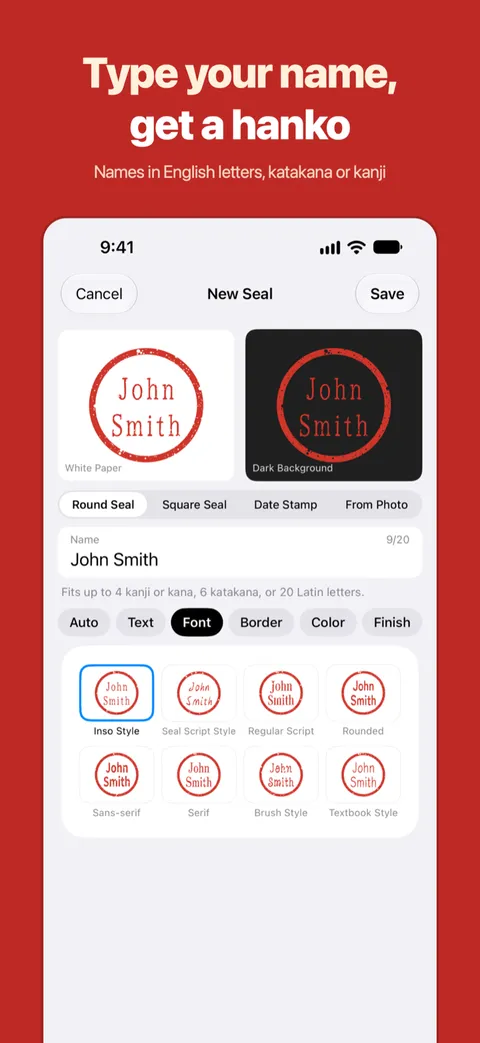
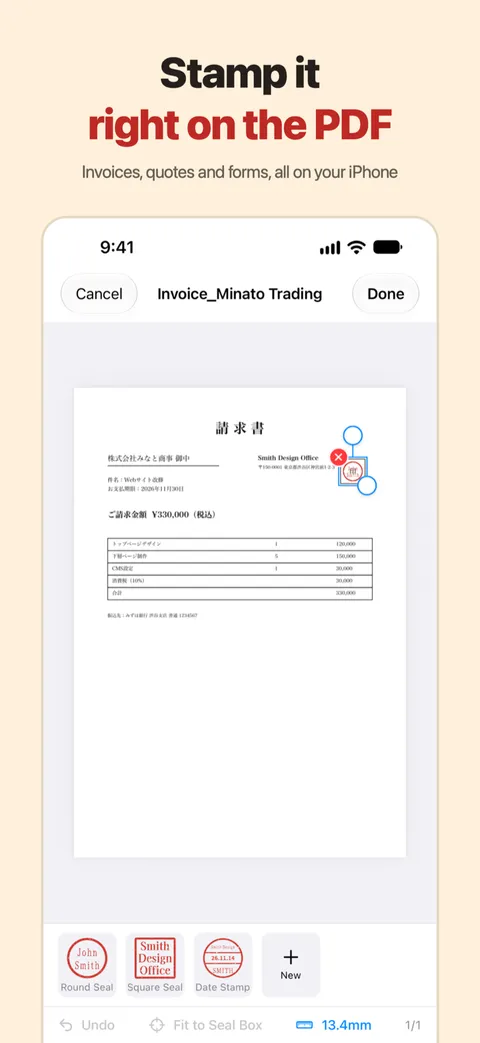
Make a seal
Make a round seal, square seal or date stamp from a name. Choose the direction, font, border and color. You can also lift your real seal from a photo.
Stamp PDFs and photos
Place a seal, then move, resize and rotate it. The app shows where the seal boxes are on the page. Adjust it as often as you like until you export.
Right from the share sheet
Open a PDF in Mail or Files and tap “Stamp with Hanko” in the share sheet.
A stamped copy
Your original document stays as it is. Export a PDF, a photo or a transparent PNG and share it.
Documents stay on your iPhone
Documents are stamped on your iPhone and never sent to a server. iCloud sync for seals is your choice, in Settings. Privacy
A seal made with this app is an image. It is not a registered seal (jitsuin) or an electronic signature, and its legal effect is not guaranteed.